
-
 Tiger.com overview
Main page
Tiger.com overview
Main page
-
 Tiger.com Windows
Trading platform for Windows
Tiger.com Windows
Trading platform for Windows
-
 Tiger.com macOS
Trading app for macOS
Tiger.com macOS
Trading app for macOS
-
 Tiger.com × Hyperliquid
Trade Hyperliquid with cashback
Tiger.com × Hyperliquid
Trade Hyperliquid with cashback
Trade on Hyperliquid at max profit with the Tiger.com terminal
 One-click
execution and hotkeys
One-click
execution and hotkeys TP/SL right in the order book (DOM)
 Clusters, volume analysis, and footprint
 For macOS and Windows


Find out how much you'll save with Tiger.com
 We only read your public trade history. No API keys or
signatures — your funds stay with you.
We only read your public trade history. No API keys or
signatures — your funds stay with you.
How to start earning up to 14%
-

Register in Tiger.com Broker
-

Create a Hyperliquid account via our referral link
-

Approve the Tiger.com builder
-

Connect your trading key in the terminal

Why trade with the Tiger.com terminal instead of directly on Hyperliquid
-

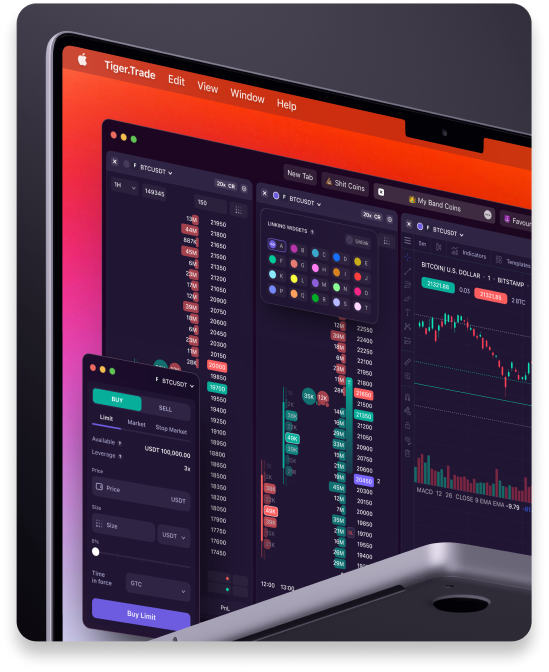
Desktop and web terminal with TP/SL in the order book, cluster and volume analysis
-

Broker account and mobile app
-
Risk manager, market screener, and trading journal
-

Access to a community of traders
Focus on profit — we'll take care of the rest
Frequently Asked Questions
-
What do you need to do to get cashback?
-
Register with Tiger.com Broker and complete three steps in your account: register your address on Hyperliquid via our special link, approve the Tiger.com builder, and get a trading key for the Tiger.com terminal. After that, cashback is credited automatically. Download the Windows terminal here, and macOS here.
-
Is cashback credited right after registration?
-
Cashback only counts for trades made through the Tiger.com terminal with a trading key — you need to complete both steps in your account: approve the Tiger.com builder and get a trading key. If you skip either one, cashback won't be credited, even if you're already trading.
-
Why is cashback only available through the Tiger.com broker?
-
If you already have a Hyperliquid account opened outside of Tiger.com, the exchange pays that percentage to someone else, and it can't be transferred — the boosted 14% cashback is only available on a new account. Registration and linking happen automatically when you open an account through the Tiger.com broker.
-
What makes up the 14% benefit?
-
4% is the fee discount Hyperliquid itself gives when you register through the Tiger.com broker. Another 10% is cashback on exchange fees from Tiger.com. Up to 14% in total.
-
How and when is cashback from Tiger.com credited?
-
Automatically within 48 hours. You'll see it in your account on Tiger.com Broker. We calculate 10% of the exchange fees on all your trades for the day and credit the cashback.
-
What do I trade with?
-
With the Tiger.com desktop terminal for Windows or macOS — with tools not available in Hyperliquid's own interface: TP/SL in the order book, clusters, and volume analysis.
-
Is it safe to use Tiger.com?
-
The terminal is non-custodial — you trade from your own wallet, and Tiger.com has no access to your funds. The trading key you get in your account can only open and close trades — it can't withdraw funds; withdrawals are signed only with your wallet. Plus, the broker has 2FA protection, a withdrawal address whitelist, and a PIN code.